

AccuWeather
Get this app from Google Play Store for automatic updates & security. Use APK if Play Store is unavailable in your region or you need an older version.
Screenshots
Screenshots from Google Play
What's new
About this app
AccuWeather
AccuWeather is an Android app that tells you exactly when it will start raining on your street. You never have to look up at the clouds and guess. A quick glance at your screen shows you exactly what is coming. Many visitors on apkdownly.com download the AccuWeather APK because they want a highly specific local forecast instead of a broad regional guess.
Why We Keep the AccuWeather APK Installed
Most default weather apps just give you a single temperature for your entire city. That doesn’t help much if you live in a big city. AccuWeather uses your exact GPS location to track the weather sitting right over your house. If a heavy thunderstorm is hitting the north side of town but missing your street completely, the app knows the difference. You get data based on your exact address.
Features You Will Actually Use
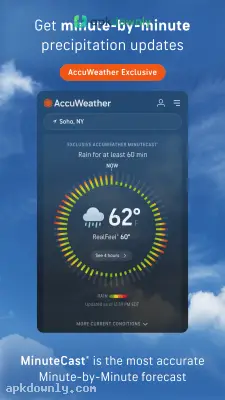
MinuteCast is the reason most people keep this app. It tracks precipitation minute by minute for the next two hours. The screen will tell you that the rain starts in 14 minutes and stops in 40. And it is usually highly accurate. You can use that exact window to walk the dog or run out to the car without getting wet.
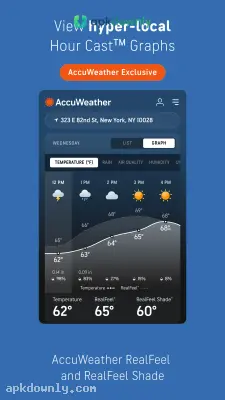
The RealFeel tool fixes the problem of misleading temperature readings. The basic air temperature might show 65 degrees. But high winds and thick gray clouds can make it feel much colder outside. RealFeel factors in humidity, sun intensity, and wind speed to show the temperature your body actually feels. There is even a dedicated shade option. You can check how much cooler it gets when you step under a tree or an awning.
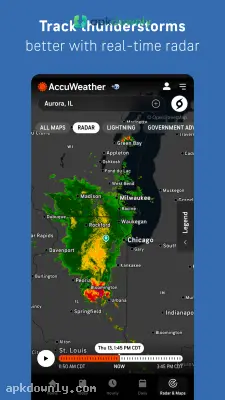
You can also watch the weather change with the live weather radar. The map displays colorful rain bands sliding across your county in real time. You see the heavy red spots approaching long before you hear any thunder. You can zoom out to neighboring states to see what kind of weather is heading your way tomorrow.
Planning an afternoon cookout or a long bike ride needs more than a daily average. You can scroll through the hourly forecast to see exactly when the temperature drops and the wind picks up later. This helps you decide if you need a jacket for the evening.
Getting Started With the App
Setting things up takes only a couple of taps.
- Download the file: Grab the latest AccuWeather APK from our site and tap the downloaded file to install it on your Android phone.
- Turn on your GPS: The app needs your location to work properly. Let it access your phone’s GPS so it can find your street.
- Add your favorite spots: Type in the cities where your family lives or places you plan to visit. You can save them in a list and check their weather with one tap.
- Fix your battery settings: Constant location tracking drains older phone batteries very fast. Go into your Android settings and limit the app to use your location only while it is open.
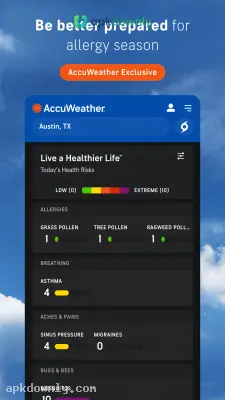
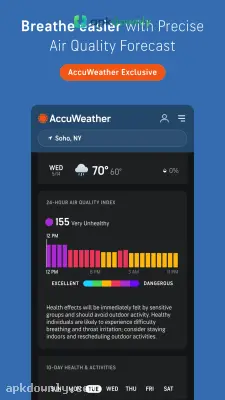
Check the allergy index tab in the AccuWeather APK before you head outside during spring pollen season.



