
Yousician
Get this app from Google Play Store for automatic updates & security. Use APK if Play Store is unavailable in your region or you need an older version.
Screenshots



Screenshots from Google Play
About this app
Yousician
Yousician acts like a personal music tutor right on your phone. You just set the device down and start playing your instrument. The microphone picks up the sounds you make. Then it lets you know immediately if your timing is correct. You do not need to purchase pricey electric instruments to learn. An everyday acoustic guitar or a cheap keyboard does the job.
People download the Yousician APK to skip the cost of a local tutor. You can pick between five instruments. The app teaches guitar, piano, bass, ukulele, and vocals. You never have to deal with plugging in physical wires. Everything runs straight through the microphone on your smart device.
Why the Feedback System Works
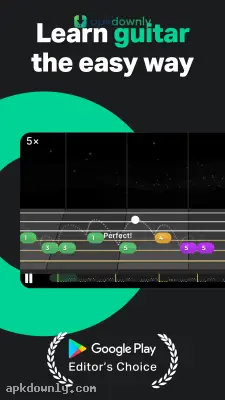
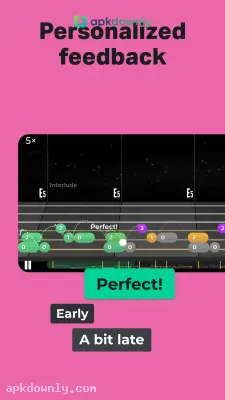
Usually, video lessons just show someone playing a song. You try to copy them. Yousician actually pays attention to your playing. A moving track on your screen displays different colored shapes. These shapes highlight the exact string to hit and the fret to press. People learning piano get a digital keyboard layout showing the exact keys to strike. Vocalists watch a monitor that measures their singing pitch. A visible line moves higher or lower on the screen to match your vocal pitch.
You play a note. A shape lights up green if you play on beat. It turns red if you pluck the wrong note. It stays gray if you play too late. This visual setup catches mistakes early. You see exactly where your fingers messed up before bad habits form.
Features Inside the Yousician APK
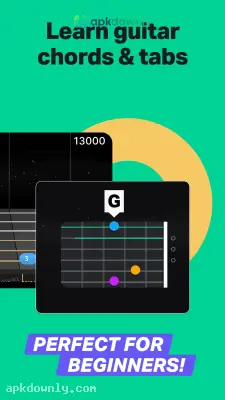
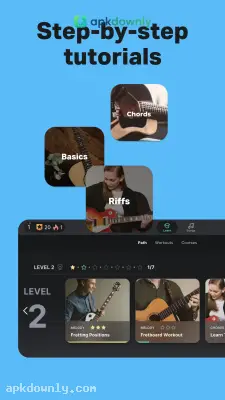
The app breaks down musical concepts into small pieces. You watch a quick video from a real music teacher. Then you try the exact technique they explained. Beginners figure out how to grip a pick or sit at a keyboard. Advanced players skip ahead to read real sheet music and practice tough finger movements. You learn songs across rock, pop, and classical styles. You might practice a popular Metallica track or just a simple pop melody. The catalog is huge. The developers add new licensed tracks all the time.
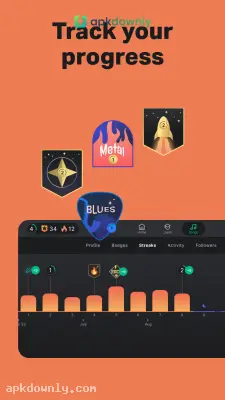
Often, a certain section of a song trips you up. You can loop that exact section over and over. You can drop the speed down to a crawl. Your fingers get used to the movement slowly. Then you bring the tempo back up to normal. The system also logs your practice sessions. It displays your total minutes for the week and highlights the specific chords you struggle with. You can enter weekly events to see how your scores stack up against other players on the global board.
Getting Set Up
Setting up your first lesson takes almost no time. Here is how you start.
- Get the app onto your Android device.
- Launch it and select your instrument.
- Fill out a quick survey about your musical experience.
- Place your phone close by to catch the sound of your playing.
- Fix your string tuning using the digital monitor shown on screen.
- Watch the starting video and finish the easiest string exercise.
Always practice in a silent room so the Yousician APK hears your music clearly without background chatter.



