

Venmo
Get this app from Google Play Store for automatic updates & security. Use APK if Play Store is unavailable in your region or you need an older version.
Screenshots

Screenshots from Google Play
More in Finance
View all →


About this app
Venmo
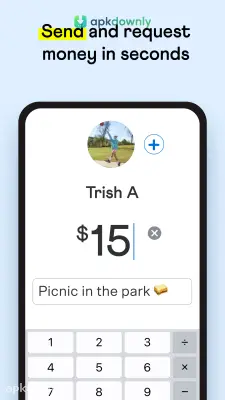
The Venmo app APK puts a straightforward money-sharing tool on your phone. We used to carry exact change to split bills at a restaurant. That feels completely outdated now. You just type in a friend's username to pay them back for the monthly water bill. The cash moves in seconds. You can add a quick note or a coffee emoji to show what the money covers. Over 90 million people currently use this app to send money online and settle debts. It acts like a digital wallet that talks directly to your bank.
What It Actually Is
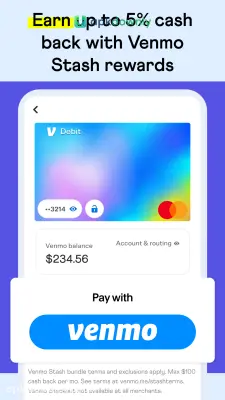
Venmo works like a community board for your cash. The app holds a running balance internally. If your sister sends you fifty dollars for concert tickets, that money stays sitting in your app wallet. You can leave it right there to buy lunch tomorrow. Or you can push it straight into your normal checking account. When you first open the app, you see a public feed showing payments between your friends. People often use inside jokes or random emojis to describe what they bought. It feels very similar to a social network, just focused on money. But you can easily set your payments to private if you prefer to hide your activity.
Core Features You Will Use
Sending money is the main point. The app also packs in extra tools for everyday spending.
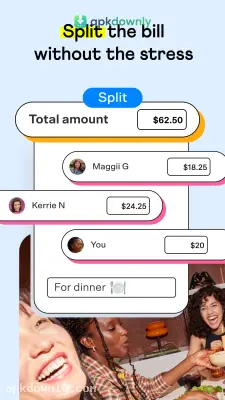
- Custom Payment Requests: You can ask a big group for cash all at once. If you paid a heavy dinner tab for eight people, you can type in the exact dollar amount each person owes. It skips the manual math. And you avoid sending out eight annoying texts to collect your cash.
- Business Profiles: You can set up a standalone profile for your side gig right next to your personal feed. This keeps your freelance income completely separate from your personal grocery budget. Customers can find your business through the search bar and pay you directly.
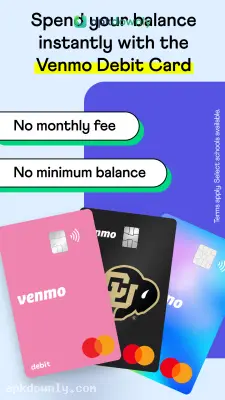
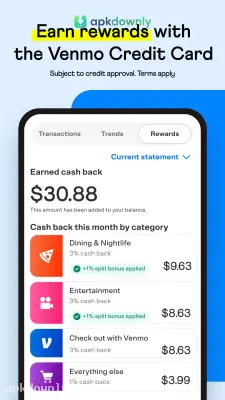
- Debit Cards: Venmo will mail you an actual piece of plastic. You can spend your app balance at any local store that takes Mastercard. Certain purchases even get you up to 3% cash back automatically.
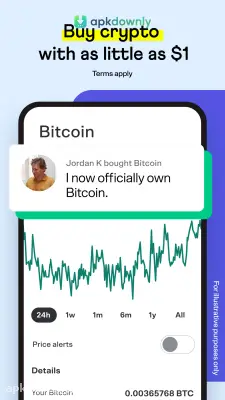
- Crypto Trading: You can start buying digital currency right in the app for just one dollar. The menu includes basic beginner guides. You can read up on different coins before you actually risk your own money.
- Teen Accounts: Parents can open a specialized profile and order a debit card for kids aged 13 to 17. There are no strict minimum balance rules to worry about.
How to Get Started With the Venmo App APK
Setting up your account takes maybe five minutes. Here are the exact steps to get ready for payments.
- Download the file and install it on your Android phone.
- Open it up and create an account with your current cell number and email address.
- Link a funding source. You can connect your regular checking account or a standard debit card.
- Prove your identity. The app asks for details like your legal name and zip code to confirm who you are. This step keeps your financial data out of the wrong hands.
- Search for your friends. You can let the app sync your phone contacts to instantly find people you already know.
- Tap the "Pay or Request" button at the bottom of your screen to start a transaction.
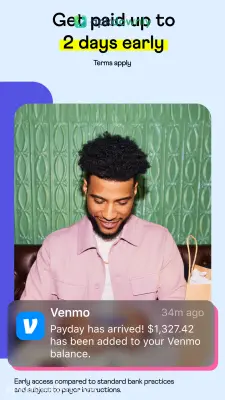
Standard bank transfers take one to three business days and cost absolutely nothing. But if you need the cash in your bank right now, you can pick an Instant Transfer for a small 1.75% fee. Keep checking for updates to the Venmo app APK to make sure your transactions stay perfectly secure.



