
TradingView
Get this app from Google Play Store for automatic updates & security. Use APK if Play Store is unavailable in your region or you need an older version.
Screenshots
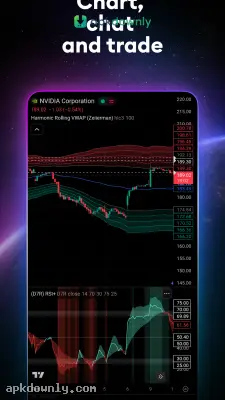
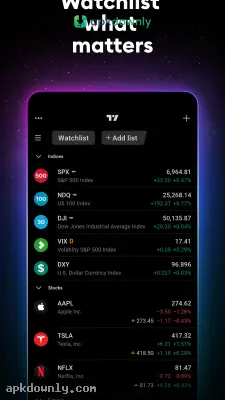
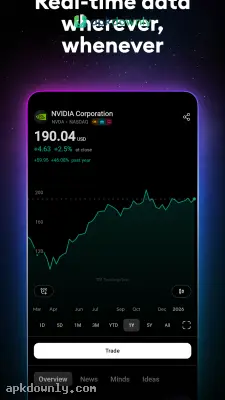
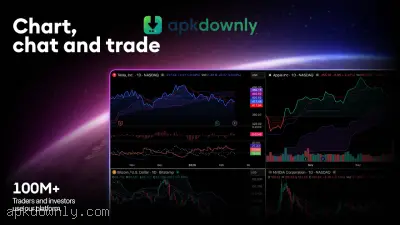
Screenshots from Google Play
More in Finance
View all →


About this app
TradingView
TradingView is a financial tool for tracking global markets. You can use it to watch price action for traditional stocks, foreign currencies, and crypto. But sitting at a desk to check your computer all day gets old quickly. That's where the TradingView APK comes in. It puts professional-grade stock charts right in your pocket. It delivers real-time data straight to your Android display. And you can watch your portfolio while sitting on the train or grabbing a quick lunch.
A Social Network for Investors
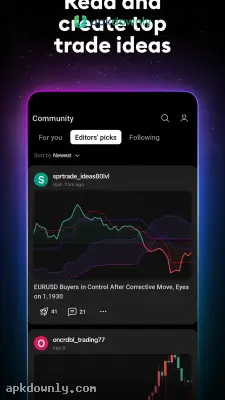
The platform acts as a giant hub for finance. You can read text posts and watch video breakdowns from other users. If someone spots an interesting cup and handle pattern on a gold chart, they publish it for everyone to see. You can comment, ask questions, or apply their exact layout to your own screen. It takes a lonely activity and turns it into a collaborative effort.
Key Features of the TradingView APK
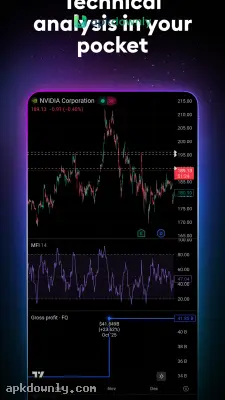
- Technical indicators: The free version includes over 100 built-in tools like the MACD and Relative Strength Index. But you also get access to over 100,000 public indicators written by the community using Pine Script.
- Advanced drawing tools: You get more than 50 different options for marking up your charts. You can sketch out trend lines, track price movements, and plot Fibonacci levels using just your fingers.
- Cloud syncing: The mobile app links perfectly with your desktop profile. If you add a resistance line on your computer in the morning, it appears on your phone later that day.
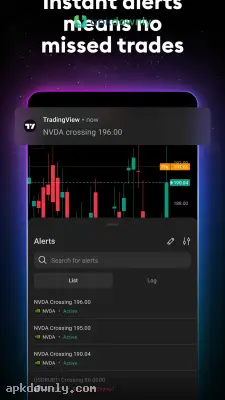
- Reliable price alerts: You can create custom warnings that go off when an asset reaches a certain price, hits an indicator, or crosses a line you drew. The system processes these alerts on separate servers. That means you get a push notification exactly when conditions are met, even if your phone screen is completely off.
Built-in Market Screeners
Finding a good setup takes time if you search manually. The app includes screeners for equities, cryptocurrencies, and foreign exchange pairs. You can filter thousands of companies by specific criteria. If you want to find European tech stocks with high dividend yields, you just set the filters. The screener spits out a neat list in seconds. You can then tap any result to jump straight to its chart.
How to Get Started with the App
- Save the APK file and install it on your Android device.
- Launch the application and register for a free profile.
- Tap the plus symbol in the watchlist area to search for assets like TSLA or EURUSD.
- Add your preferred stocks and coins to a personal list for fast price checks.
- Press any asset name to load up its full chart.
- Select the drawing panel icon at the bottom of the screen to apply your preferred indicators and trend lines.
Practicing Before You Spend
Before you connect a real brokerage account, try paper trading. The app gives you a simulated account with virtual funds. You can execute buy and sell orders based on live market conditions without risking a single penny. It's a very practical way to learn how the interface handles stop losses and limit orders.
Keep your push notifications turned on, and open the TradingView APK only when an alert tells you it's time to act.



